Watch crown guards are the protective shoulders beside the winding crown. Their outline helps define the crown side of a case, but a close-up can make one guard look broader or longer than the other. To read the shape clearly, start with a view from above, then use a side view and an angled view to understand how the surfaces join.
The photographs below were taken by our team and show the same VSF Submariner 126610LN replica.
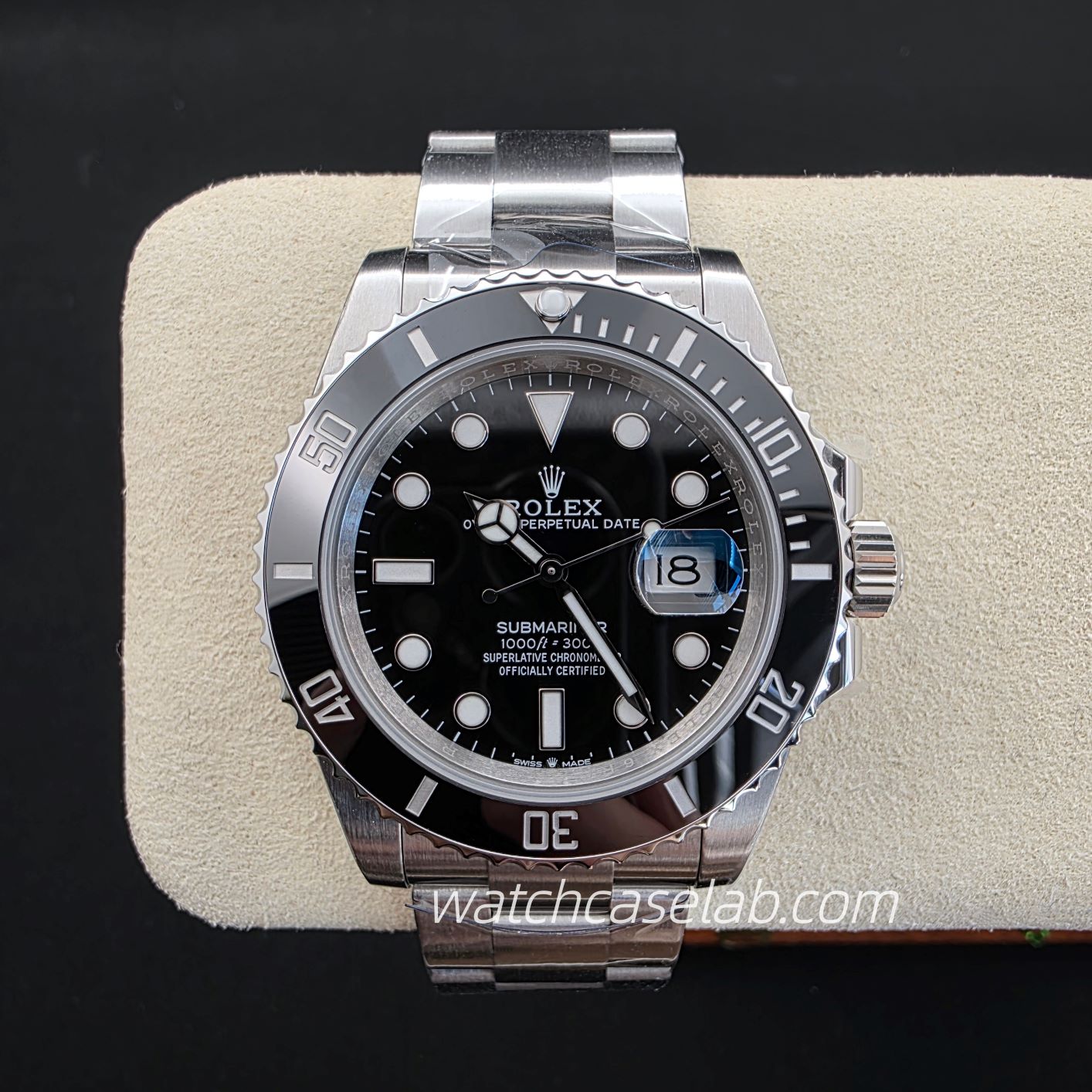
What do crown guards protect?
The guards flank the crown and help shield it from knocks. Rolex describes its crown guard as part of the middle case, extending the case sides around the winding crown. That is a useful example of the familiar paired-shoulder design: two fixed projections with the crown between them.
First identify those parts in the photograph. The crown is the control used for winding and setting. The guards belong to the surrounding case structure. The lugs are the projections at the bracelet or strap connections. Keeping these separate makes it easier to follow the line of the case into the guard.
Follow the base, outline and tip
Instead of deciding whether a guard looks “thick” at a glance, follow its outline from the case towards the crown. Three areas help describe what you see:
- The base: where the guard meets the main case side. Look for a gradual curve or a more abrupt change in direction.
- The outer outline: the edge facing away from the crown. Follow how it narrows, curves or stays broad towards the end.
- The tip: the end nearest the outer part of the crown. Describe whether the visible outline is rounded, flattened or pointed.
“Tapered” and “pointed” describe different things. A guard can narrow along its length and still finish with a rounded tip. Likewise, a broad base can lead into a slim end. These descriptions are more useful than treating the whole guard as one block of metal.
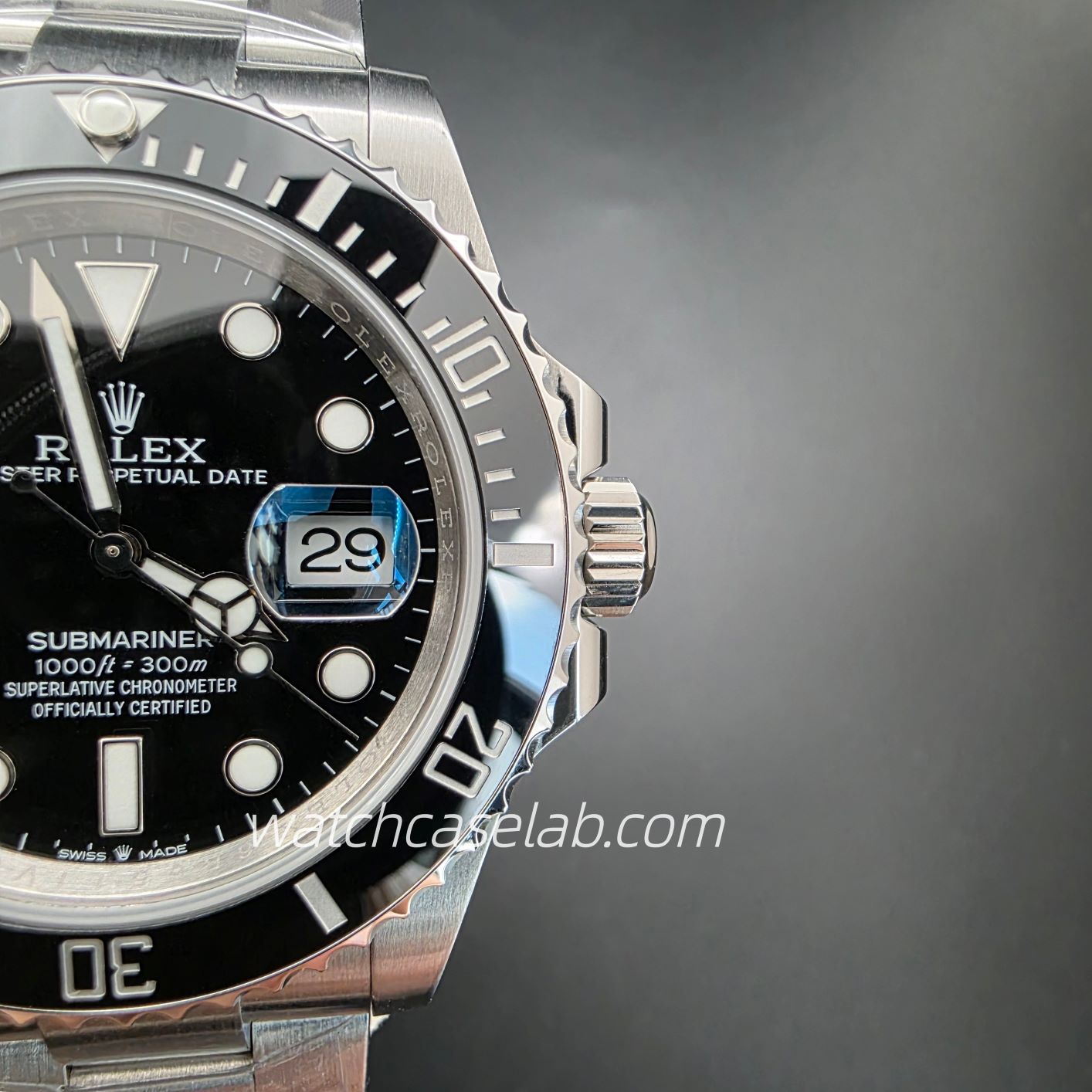
Why can one guard look larger?
In an oblique photograph, the nearer guard can appear larger while the farther one is partly hidden by the crown. The camera may also show the top of one guard and mostly the side of the other. Those are different views of the surfaces, even though they appear together in one image.
TAMRON explains that camera distance changes perspective, while focal length determines framing. Moving very close can exaggerate differences between near and far parts. Cropping a photograph enlarges the existing view; it does not correct its perspective. For a clearer comparison, move back enough to include the whole crown area, keep the watch centred and retain enough detail to follow both outlines.
Three views that answer different questions
From above: the outline beside the dial
With the dial facing the camera, keep the camera centred over the watch rather than leaning towards one lug. Include the entire crown area. This view helps you follow the two guards out from the case and compare their visible tips. A tight crop that cuts off their bases loses much of that context.
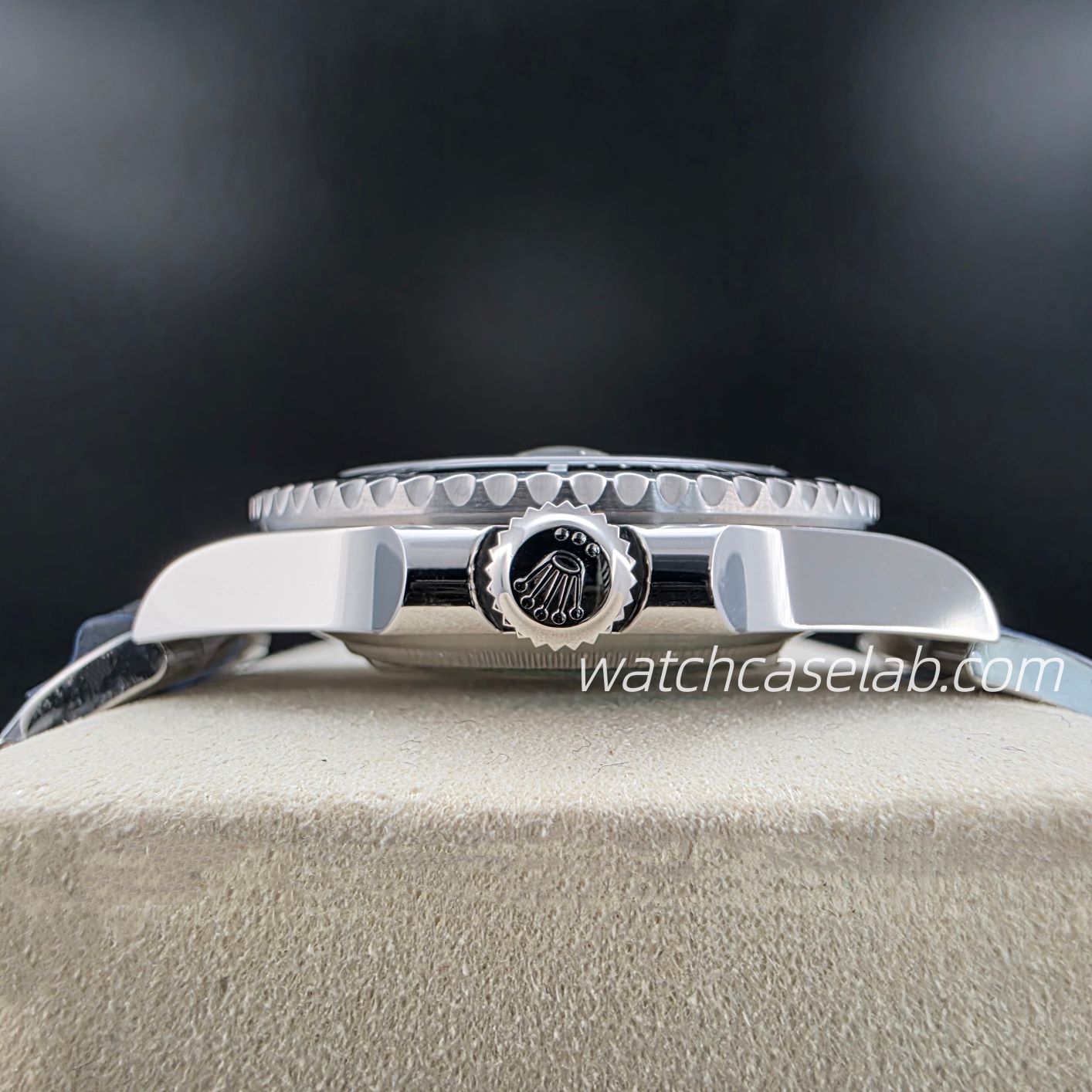
From the crown side: height and overlap
Lower the camera towards the level of the crown and look directly at the crown side. This makes the vertical relationship between the crown, the visible guard surfaces and the rest of the case easier to follow. The crown may hide some inner edges. Use the other views to trace those areas rather than treating a hidden edge as a short guard.
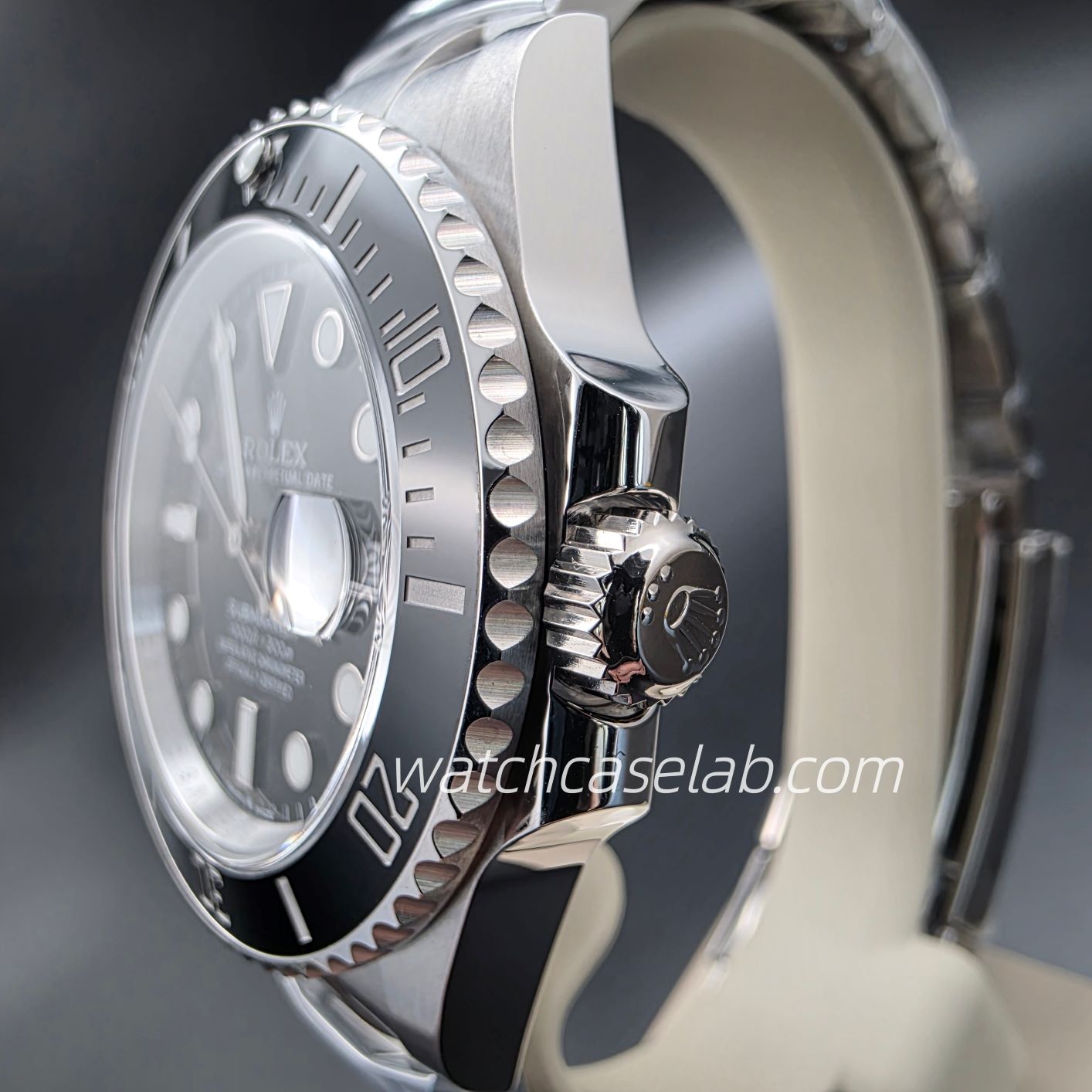
At an angle: the transition into the case
A shallow view from above and towards the crown side shows the top and side surfaces together. Follow where the guard blends into the case, then where its surface turns towards the tip. This is useful for understanding a curve or bevel. Read apparent size differences alongside the more centred view.
Keep the outline separate from the reflection
A bright patch can make a guard seem broader, while a dark reflection can conceal part of its surface. Start with the boundary against the background, then follow the visible surface towards the crown. If glare hides an edge, keep the camera still and change the light slightly.
Soft, diffused light is a useful starting point for small reflective objects, as Nikon explains in its jewelry photography guide. You still want enough contrast to see the outline. For a closer look at bright bands and surface transitions, see our guide to brushed and polished watch cases.
Comparing two crown-guard photos
Start with the same watch reference and version, then match the viewing angle, camera distance and crown position as closely as possible. A crown extended for setting changes the space you see beside the guards. Also check whether both tips are in focus and fully inside the frame.
Compare specific features: the curve at the base, the taper along the outer edge and the shape of the tip. If one side still looks different, check that feature in a second view. That gives you a clearer description of the case than judging symmetry from a single dramatic close-up.
Sources
- Rolex: Crown guard — protective purpose and the brand’s integrated case design.
- TAMRON: Photography Basics, “Understanding Focal Length and Lenses” — camera distance, perspective and framing.
- Nikon: Bright Ideas — Tips and Techniques for Photographing Jewelry — lighting small reflective objects.
Leave a Reply